About Solar Insure Monitoring
Solar installers rely on system alerts for managing customer solar systems. Exceptional installers, like Solar Insure partners, need a system that goes beyond one manufacturer to help streamline and improve business efficiency and after-install revenue. Our new monitoring system is rolling out just for you, and we want to ensure that you understand the vast benefits in store.
Beta features are now available for use. In the coming year, you can expect new features to deliver an efficient bird's eye view across all accounts. We are streamlining and automating additional services to do some heavy lifting for you. As a result, you will experience reduced administrative overhead, improved claim processing speeds, and ultimately the ability to continue building your reputation in the industry by supporting exceptional customer and after-install service.
Now, let's break down the phases of Solar Insure Monitoring features that you can expect as we roll out. We'll also address some FAQs below, so you're ready to hit the ground running.
What is Monitoring
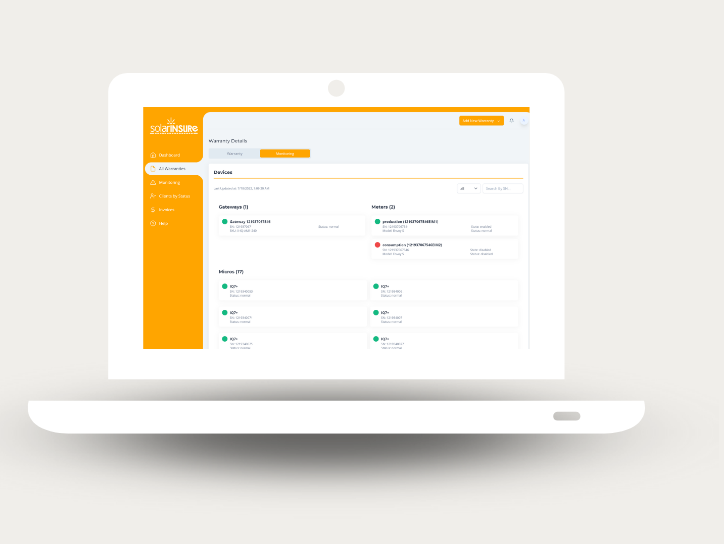
For Solar Insure Certified Installers, you will gain access to a high- level monitoring tool that allows your team to efficiently view multiple accounts from many manufacturers in one place. Pulling from each approved vendor platform to one central location, your team can effectively triage and prioritize repair and customer service needs.
Future versions of Solar Insure partner monitoring will improve claims processing automation, with reduced manual input and faster payouts.
Solar Insure Helps You
1. Increase Revenue
Get money back for service work you've previously performed for free or have traditionally charged the homeowner for.
2. Reduce Downtime
Get homeowner’s repairs resolved sooner so they don’t lose out on lost energy or pay out of pocket for service work.
2. Grow Your Business
Make homeowners happy, increase referrals, contribute to positive public opinion on solar, increase sales.
-2.png "Solar Insure Monitoring Benefits & How to Review Monitoring Data (Desktop)-2")
Features Coming Soon!
√ Centralized Analytic Reporting Dashboard to give installers data-driven insights on fleet health across multiple manufacturers
√ Automated email alerts and reports to help installers manage operations and maintenance on installed systems
√ System-driven claim eligibility identification to make sure installers don't miss out on reimbursement opportunities
√ Streamlined claims filing process with reduced data entry and faster payouts
Why do we monitor?
Monitoring is a core feature for delivering the best after-installation service and instilling confidence in residential and commercial solar energy. We help our Certified Installers provide the best service through monitoring to stay on top of service calls and claims processing. We want your customers to have the utmost peace of mind, which starts with monitoring so we can ensure the right actions are taken at the right time.
Features Coming Soon!
With Solar Insure Monitoring and 30 Year Warranty, your customers stay happy because the price is already a part of the original installation. No monthly fees, no out-of-pocket expenses, just an added feature that helps you deliver the highest quality of service to your customers. The best part is that you get paid when a repair is required, and a claim is generated, executed, and approved.
What does monitoring do?
Solar Insure monitoring helps our vetted partners deliver the level of service they need to grow in the industry. Basic monitoring may involve losing time and money with the efforts spent hopping from one manufacturer portal to the next. Solar Insure monitoring delivers a more business-focused tool that directly connects system issues to claims that save you time and increase after-install repair revenue.
Part 1 - Beta: Benefits of
Monitoring & How to Review
Monitoring Data Today
As we roll out Solar Insure Monitoring features, we want to be clear about the benefits you can access now and those coming soon. Currently, these are the applications that can be accessed and the business benefit of each.
Solar Insure Monitoring Application
- Manage a fleet of systems across multiple inverter manufacturers (Enphase, SolarEdge, Generac, more being added to the list)
- Syncing and summarizing monitoring data
- Software is for contractors only
- Fleet Management System - login to see precise and continuous component monitoring for systems that are registered *(in the near future, this feature will include generated alerts)
Business Benefit
- Save time from logging into each manufacturer’s software to see system alerts.
- Digestible data from multiple inputs makes it faster to manage and use data for increasing after-install claims and revenue.
- Solar Insure never alerts the customer, keeping you in control of service claim management.
- Get a bird’s eye view on systems that require repair, then dive deeper into more detailed needs for each system so you can triage and better prioritize service management.
Got Questions? We've got answers.
How to Review Monitoring Data Today (Beta)
1. Login into your Solar Insure Dashboard
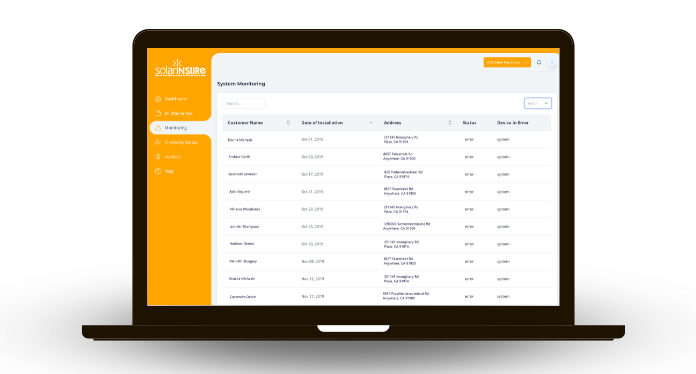
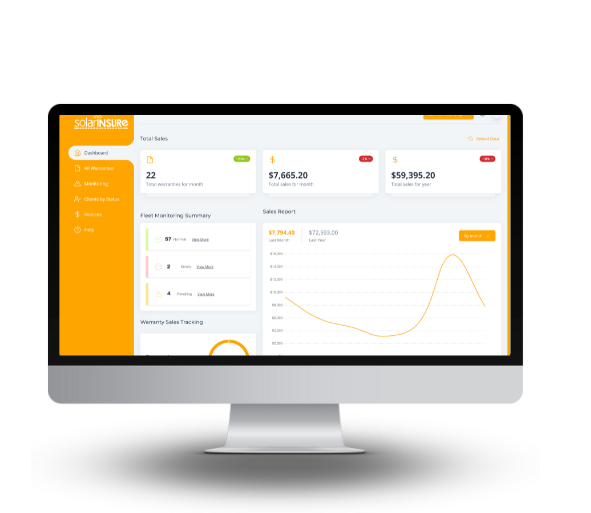
2. Review the high-level Fleet Monitoring Summary
a. Normal - systems are operating normally
b. Site Alerts - systems that require attention
c. Pending - systems with unverified addresses or unsupported inverter manufacturers
.jpg "Monitoring Dashboard")
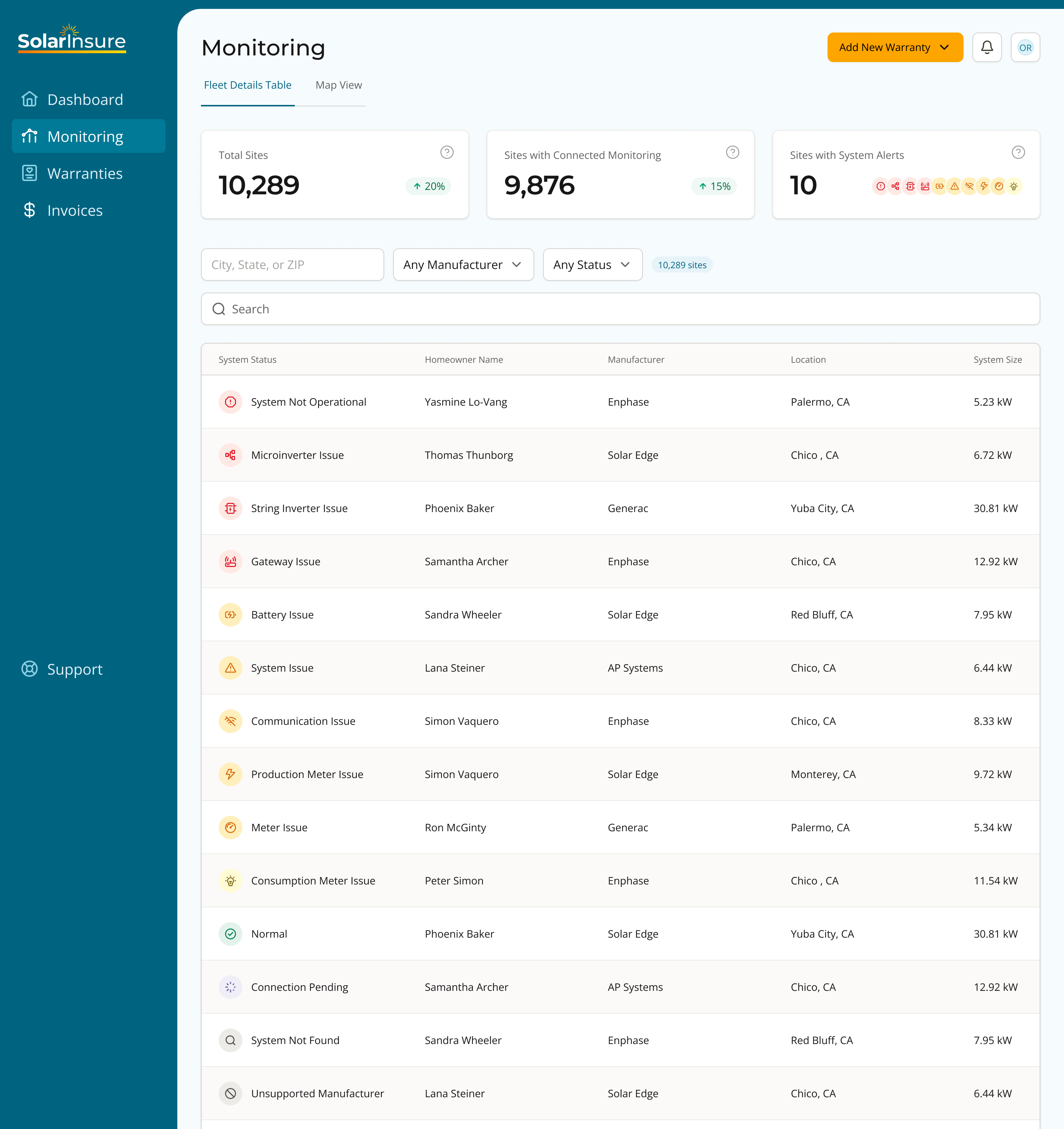
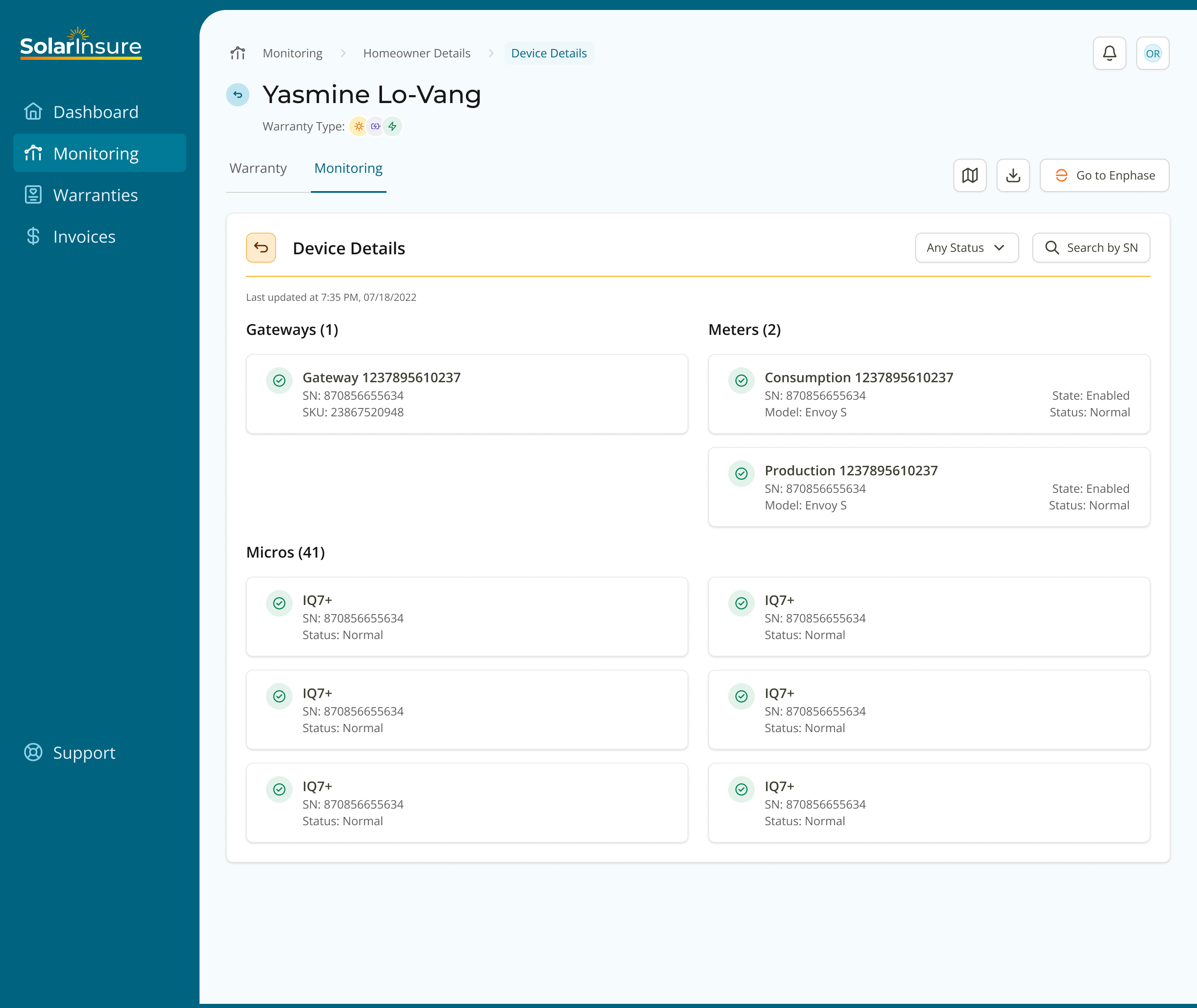
4. Click on any of the rows in the table to see details about that particular site. You will be taken to the Homeowner Details page.
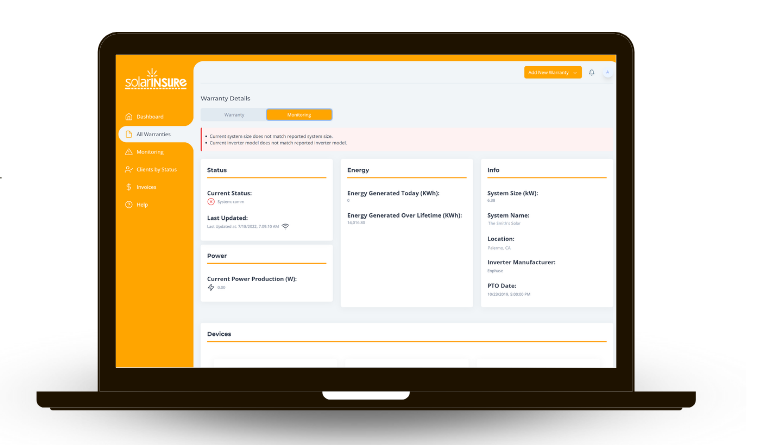
.jpg "Monitoring Homeowner Details Monitoring Tab")
.jpg "Monitoring Homeowner Details Monitoring Tab Energy Graph Variant")